AI Workflow Automation for Founders: 7 Powerful Lessons
AI workflow automation is changing how founders think about repetitive work.
But there is a problem.
Many founders are adding AI tools without changing the workflow around them.
They use ChatGPT for writing.
Another tool for research.
An AI assistant for meetings.
Automation software for notifications.
A CRM for leads.
A project management platform for tasks.
Yet they may still spend hours every week copying information, checking inboxes, updating records, chasing follow-ups, and moving tasks between systems.
The issue is not always a lack of AI.
Sometimes the workflow itself needs attention.
I’ve spent years working around business operations, project management, virtual assistance, websites, CRM systems, lead generation, and recurring administrative work.
One lesson keeps becoming clearer:
AI becomes much more useful when it is connected to a well-designed process.
That is what this guide is about.
Here are seven practical lessons I would consider before building an AI workflow for a business.
What Is AI Workflow Automation?
AI workflow automation uses artificial intelligence, automation, and connected business systems to help work move through a defined process with less manual effort.
Traditional automation usually follows predefined rules.
For example:
New form submission → Create CRM contact → Send notification → Create task
AI can add another layer.
It can help interpret information, classify requests, summarize conversations, extract data, draft responses, identify patterns, or suggest the next step.
A workflow could therefore look like:
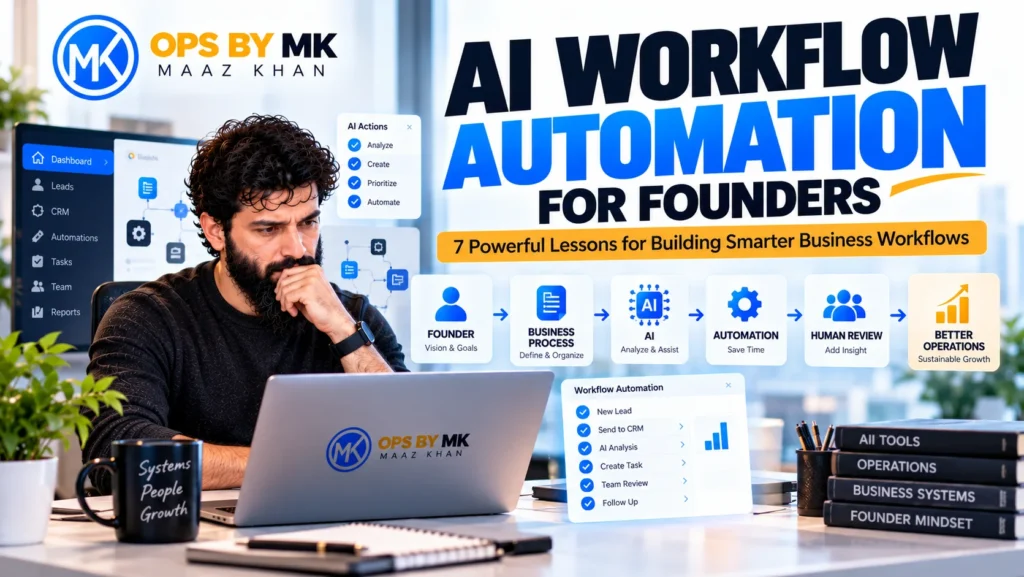
New lead → AI reads inquiry → Lead is categorized → CRM updated → Follow-up prepared → Human reviews → Task completed
The AI is not necessarily replacing the person.
It is supporting the process.
IBM describes AI workflows as structured sequences where AI systems can perform, coordinate, or enhance processes either autonomously or alongside human workers.
That distinction matters because a useful AI workflow should improve how work moves through a business rather than simply add another tool.
Why AI Workflow Automation Matters to Founders
Founders often become the default person for everything.
They answer important emails.
They check leads.
They review projects.
They approve work.
They update clients.
They follow up with prospects.
They prepare reports.
They solve operational problems.
At the beginning, this may be manageable.
As the business grows, it becomes a bottleneck.
The founder becomes the system.
That is dangerous because the business starts depending on one person’s memory, availability, and attention.
AI workflow automation can help move repetitive work from the founder’s head into a repeatable system.
The objective is not to remove the founder from the business.
It is to give the founder more capacity for work that actually requires them.
That means more time for:
- Strategy
- Sales
- Customers
- Partnerships
- Product decisions
- Team leadership
- Business development
And less time spent on repetitive administrative work.
1. Start With the Work, Not the AI Tool
This is the first lesson I would give any founder.
Don’t start by asking:
“Which AI tool should I use?”
Start by asking:
“Which work is consuming my time that should not require my direct involvement?”
Look at a normal week.
Write down the tasks you repeatedly:
- Copy and paste
- Sort
- Summarize
- Update
- Forward
- Schedule
- Categorize
- Follow up
- Report
- Enter into another system
Then look for patterns.
If the same task happens every day, it may be a workflow candidate.
If the same information is entered into multiple systems, there may be an integration opportunity.
If someone spends hours reviewing similar messages, AI may help with classification or summarization.
If everyone asks the founder what happens next, the business may need a documented process.
The important point is that the tool comes after the problem.
A new AI subscription is not a workflow strategy.
2. Automate Repetition Before Judgment
Not every task should be automated.
I prefer to start with work that is:
Frequent
The task happens regularly.
Repetitive
The process is similar each time.
Digital
The information already exists in email, forms, documents, CRM systems, or other software.
Low-risk
A mistake can be caught and corrected.
Measurable
You can tell whether the workflow improved.
For example, summarizing meeting notes can be a good AI-assisted workflow.
Making a major strategic business decision based only on an AI recommendation is very different.
One reduces repetitive work.
The other requires judgment.
That distinction becomes more important as AI moves from simple assistants toward systems that can execute multi-step work.
OpenAI describes the shift toward agents as a move from short interactions toward longer tasks where AI can orchestrate tools and work toward an outcome.
The more responsibility an AI system receives, the more carefully the workflow should be designed.
3. Connect the Systems You Already Use
Many founders do not actually have a software problem.
They have a connection problem.
Imagine this process:
Website inquiry
↓
Email notification
↓
Someone reads the inquiry
↓
Information is copied into the CRM
↓
A task is created
↓
A follow-up is written
↓
Someone sends it
↓
CRM status is updated
↓
Manager checks the report later
The business may already have all the necessary software.
But the systems are disconnected.
A better workflow might be:
Website → CRM → AI classification → Task → Human review → Follow-up → Reporting
Now the systems support one another.
This is one reason I prefer improving existing workflows before immediately recommending a complete software replacement.
Adding another application creates another:
- Login
- Subscription
- Data source
- Integration
- Training requirement
- Maintenance responsibility
Sometimes the better solution is simply connecting what already exists.
4. Keep Human Review Where Judgment Matters
I don’t believe every business process should become fully autonomous.
AI can be extremely useful.
But useful does not mean unlimited.
AI can often help with:
- Summarizing
- Classifying
- Extracting information
- Drafting
- Organizing
- Researching
- Preparing reports
- Creating task suggestions
People should often remain responsible for:
- Important decisions
- Strategic choices
- Sensitive customer situations
- Final approvals
- High-value communication
- Exceptions
- Decisions requiring business context
A practical workflow can therefore look like:
AI first pass → Human review → System continues
That is still automation.
It simply includes an appropriate control point.
This becomes especially important as AI systems gain access to business applications and begin taking actions. Microsoft describes agentic AI as moving from responding to requests toward participating in workflow execution, while IBM highlights the need for governance, monitoring, ownership, and measurable outcomes as agents gain more autonomy.
For founders, that means one simple rule is becoming more important:
Give AI a defined job before giving it broad authority.
5. Understand the Difference Between AI Assistance and AI Automation
These two ideas are often confused.
Suppose you open ChatGPT and ask:
“Summarize this email.”
That is AI assistance.
It can save time.
But you still started the process manually.
Now consider this:
Email arrives → AI identifies the request → Information is extracted → CRM is updated → Task is created → Response is drafted → Person reviews
Now AI is part of the workflow.
That is a very different operating model.
AI assistance
Helps you complete a task.
AI workflow automation
Helps the task move through a process.
AI agents
Can go further by planning and executing multiple steps within defined permissions.
The distinction is becoming more relevant because current business AI is moving toward connected, multi-step workflows rather than isolated prompts. Google Cloud describes this shift as moving from one-off prompts toward systems that orchestrate more complex workflows.
For founders, the opportunity is not simply to become faster at doing every task.
It is to reduce how many tasks require direct founder involvement.
6. Measure the Workflow, Not the AI
A business does not become better simply because it uses AI.
The workflow has to improve.
Before automation, ask:
- How long does this process take?
- How many manual steps exist?
- How often are follow-ups missed?
- How much information gets copied?
- How many people touch the process?
- Where do errors happen?
After automation, ask:
- Is the process faster?
- Are fewer steps manual?
- Are follow-ups more consistent?
- Is information easier to find?
- Has data quality improved?
- Has the founder regained time?
- Does the team understand the process better?
The AI itself is not the result.
The improved business process is the result.
This is why I would never recommend building an automation simply because it looks impressive in a demo.
A simple workflow that removes a real bottleneck is more valuable than a complicated AI system nobody understands.
7. Build One Workflow Before Building Ten
You don’t need to automate your entire company.
Start with one workflow.
A good example is lead follow-up.
Before
- Lead submits a form
- Email notification arrives
- Someone reads the inquiry
- Information is copied
- CRM is updated
- Lead is categorized
- Follow-up is prepared
- Task is created
- Someone follows up
- Status is updated
Now identify the repetitive steps.
After
- Lead submits a form
- AI reads and categorizes the inquiry
- CRM is updated
- Follow-up draft is prepared
- Task is created
- Human reviews
- Follow-up is sent
- Status updates automatically
That is already meaningful.
You don’t need ten AI agents.
You need one workflow that actually improves the business.
Google Cloud’s current SMB guidance similarly emphasizes moving AI from experiments into real workflows and systems where it can create measurable value.
Where I Would Look First
If I were reviewing a founder’s operations, I would start with these areas.
Inbox
Can AI identify messages that need attention and summarize routine conversations?
Lead Management
Can incoming inquiries be categorized and routed automatically?
CRM
Can repetitive updates happen without copying the same information between systems?
Project Management
Can meetings, updates, and notes become structured tasks?
Reporting
Can recurring reports be prepared automatically?
Customer Follow-Up
Can reminders and response drafts be generated without relying on memory?
Content Operations
Can research, outlines, repurposing, formatting, and publishing steps be connected?
These are not necessarily processes that should become fully autonomous.
They are simply areas where repetitive work may be reduced.
Don’t Automate a Broken Process
This is probably the principle I care about most.
You should not automate a process you haven’t understood.
If nobody knows who owns the next step, automation won’t solve that.
If your CRM contains poor information, automation won’t magically fix it.
If your workflow contains unnecessary steps, AI may simply make unnecessary work faster.
If nobody reviews important outputs, an automated mistake can travel through multiple systems before anyone notices.
So I prefer this order:
Map the process.
↓
Simplify the process.
↓
Decide what should be automated.
↓
Add AI where it provides value.
↓
Keep human review where it matters.
↓
Measure the result.
That is why I see AI workflow automation as an operations discipline, not simply a technology project.
AI Agents Are Changing the Conversation
AI agents are becoming an important part of the next stage of business automation.
The difference is that an agent can potentially handle multiple steps, interact with tools, retrieve information, update systems, and continue working toward a defined objective.
OpenAI describes agents as systems capable of longer-horizon work and tool orchestration. Google Cloud describes agentic workflows as AI-driven processes that can reason, plan, and use external tools across multiple steps.
But this does not mean founders should give an AI agent access to everything.
Start with a defined responsibility.
For example:
Lead qualification agent
rather than:
Run my entire sales operation.
Define:
- What triggers it
- What information it can access
- What actions it can take
- What it cannot do
- When it needs approval
- How its actions are monitored
- What success looks like
That makes the system easier to understand and safer to improve.
My Five-Question AI Workflow Framework
When I look at a potential AI workflow, I start with five questions.
1. What triggers the work?
Is it a new lead, email, form, meeting, customer request, or scheduled event?
2. What happens next?
Document the actual process instead of assuming you know it.
3. What is repetitive?
Find the steps that don’t require constant human attention.
4. Where can AI help?
Look for tasks involving classification, summarization, extraction, drafting, research, or other appropriate information work.
5. Where should a human stay involved?
Define the review, approval, and exception points.
That’s enough to begin.
You don’t need to build a complicated AI operating system in one weekend.
AI Should Give the Founder More Capacity
For me, the biggest value of AI workflow automation is not having the largest collection of AI tools.
It is capacity.
A founder should be able to spend more time on:
- Strategy
- Customers
- Sales
- Relationships
- Product decisions
- Team leadership
- Growth
And less time on:
- Copying information
- Chasing routine follow-ups
- Updating the same data twice
- Sorting repetitive messages
- Preparing routine reports
- Moving tasks between systems
That is the shift I want to see from AI.
Not:
“How many AI tools are you using?”
But:
“How much unnecessary work have you removed?”
That is a much better measure of progress.
The Future Is Connected Work, Not More Tools
AI is moving quickly from standalone assistants toward connected workflows and agents.
That creates a major opportunity for founders.
But it also creates a new responsibility.
Businesses need to understand their processes before handing those processes to increasingly capable systems.
The best AI workflow is not necessarily the most complicated one.
It is the one that:
- Solves a real problem
- Reduces repetitive work
- Fits the existing business
- Uses the right systems
- Keeps people involved where needed
- Can be measured
- Can be improved
For me, the principle is simple:
Process first.
AI second.
Human judgment where it matters.
That is how I approach AI workflow automation.
Frequently Asked Questions
What is AI workflow automation?
AI workflow automation uses AI, automation, and connected business systems to reduce repetitive work and help tasks move through a defined business process.
Is AI workflow automation useful for small businesses?
Yes. Small businesses can use it to reduce repetitive administrative work, improve lead handling, organize information, support customer communication, and connect existing business systems.
What should founders automate first?
Start with frequent, repetitive, digital, low-risk tasks that have clear steps and measurable outcomes.
What is the difference between AI assistance and AI workflow automation?
AI assistance helps a person complete an individual task. AI workflow automation connects AI to a broader process so work can move between defined steps with less manual intervention.
Should founders completely automate their business?
No. Automation should be applied where it improves the process. Important decisions, sensitive situations, and tasks requiring business judgment may still need human involvement.
Are AI agents the same as workflow automation?
Not exactly. Traditional automation generally follows predefined rules. AI agents can interpret goals, plan steps, use tools, and act within defined permissions. The two can also work together.
How do I know if a workflow is ready for AI?
Look for repetitive work with digital inputs, predictable steps, clear outcomes, and a reasonable way to review the result.
Do I need to replace my current software?
Not necessarily. Many AI workflows can connect the systems a business already uses. Improving the connections between existing tools can sometimes be more useful than replacing them.
Final Takeaway
AI workflow automation is not about buying every new AI tool.
It is about redesigning how work moves through your business.
Start with the repetitive work.
Understand the process.
Connect the systems you already use.
Use AI where it adds real value.
Keep humans involved where judgment matters.
Measure the result.
Then improve the workflow.
Process first.
AI second.
Human judgment where it matters.
If you’re exploring where AI could actually improve your business operations, visit Ops by MK to learn more about my approach to operations, automation, project management, and virtual support.